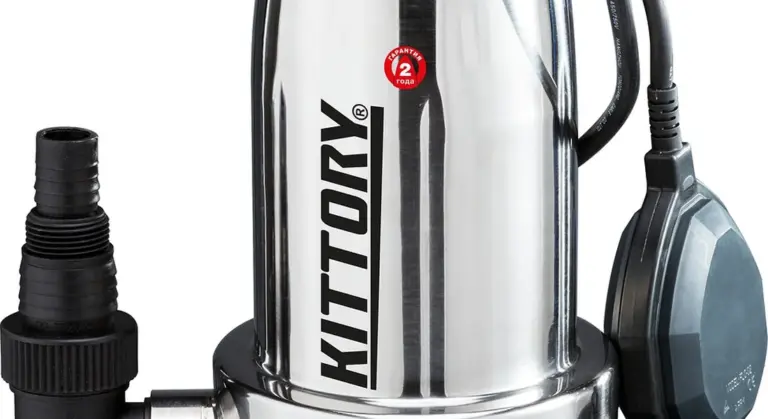
How to Install a Sump Pump Battery Backup and Stop Basement Floods
Your sump pump quits when the power dies. A battery backup keeps it running and your basement dry.
We will cover choosing the correct backup unit, the tools you need, the step-by-step wiring and plumbing, and how to test your work.
I install these systems for a living and have one in my own basement. Use a dedicated deep-cycle marine battery; it handles the pump cycles without failing early.
Why Your Sump Pump Needs a Backup Plan (Hint: It’s Not Just for Tornadoes)
Your primary sump pump has one job: move water. It does this job well, until the moment it doesn’t. That moment is often a storm. The power flickers, then goes out. Your primary pump stops. The pit fills. Water starts spilling over the top. Your primary pump with no electricity is just a metal paperweight sitting in a hole of rising water.
Let’s talk real numbers. Cleaning a flooded basement starts around $3,000. That’s for basic drying. It skyrockets if you have finished walls, carpet, or damaged belongings. Mold remediation adds thousands more. A quality battery backup system? You’re looking at $500 to $1,500. It’s not a trivial cost, but it’s insurance. A flood happens once, and the cleanup bill makes the backup system look cheap.
This is where people get tripped up. A backup sump pump and a battery backup are different tools. A backup pump is a second, physical pump (often water-powered) that sits in the pit ready to take over. A battery backup is a power source-a battery and a charger-that keeps your existing electric pump running when the lights go out. You need to know which problem you’re solving. For a power outage, you need a battery.
Pumps can fail other ways. The float switch jams. The impeller clogs with debris. The motor burns out. A battery backup won’t fix those. For this guide, we’re focused on solving the power outage, because it’s the most common and predictable failure during the worst weather.
Choosing Your Sump Pump Battery Backup: Not All Systems Are Created Equal
First, some quick water science. Your pump’s power is measured in Gallons Per Hour (GPH). Think of this as its top speed on flat ground. “Head pressure” is the height it must lift the water. Lifting water 10 feet straight up is harder than pushing it 10 feet sideways. The backup system you choose must handle both your pump’s GPH rating and the vertical lift from your pit to where the pipe exits your house. Check your existing pump’s label for its specs.
You have two main paths: integrated systems and standalone units.
- Integrated Systems: Think of a kit like the A.Y. McDonald 5033CVSPBUSS. These are all-in-one. They include a special pump controller, a sealed battery, and a smart charger in one tidy box. Your primary pump plugs into it. It automatically switches to battery power during an outage and manages battery health.
- Standalone Battery-Powered Backup Pumps: This is a second, smaller pump placed in your sump pit. It has its own float switch and runs solely off its own dedicated battery. It only kicks on if the water rises too high, meaning the primary pump failed or lost power.
| A power supply and controller for your existing primary pump. | A completely separate, smaller pump with its own battery. | Keep your main pump running during a power outage. | Act as a secondary pump if the primary fails or loses power. | Homes with a reliable, newer primary pump where power loss is the main concern. | Older primary pumps, pits with high water inflow, or as redundancy for both power and mechanical failure. | Wiring and plumbing can be simpler; often uses the existing discharge pipe. | Requires fitting a second pump in the pit and usually a separate discharge line (see Code Check below). | Upfront cost for the unit and battery. Extends the life of your main pump. | Cost for the pump, battery, and often more complex plumbing. |
Choosing comes down to your pump and your risk. Look at your primary pump’s label. Note its horsepower (HP) and voltage (usually 120V). Your battery backup must be rated to handle that draw. Then, be honest about your flood risk. Is your basement just damp, or does it turn into a lake? Higher risk means you need more battery capacity.
Battery capacity is in Amp-hours (Ah). More Ah means longer runtime. It’s not simple, because the pump cycles on and off. For a rough idea: a standard 75Ah deep-cycle battery might run a 1/3 HP pump for 5 to 7 hours of total runtime. If the pump runs for 1 minute every 5 minutes, that battery could last a day or more. In a torrential downpour where the pump runs constantly, it might only last 4 hours. Plan for the worst storm.
Code & Compliance Check: Here’s a rule many DIYers miss. The International Plumbing Code (IPC) often requires a backup pump to have its own, dedicated discharge line. You can’t just tee it into your primary pump’s pipe. The reason is simple: if the primary pipe clogs or freezes, both pumps are useless. A separate line ensures your backup has a clear path out. Always check your local amendments to the code.
The DIY Verdict: Can You Install a Sump Pump Battery Backup Yourself?
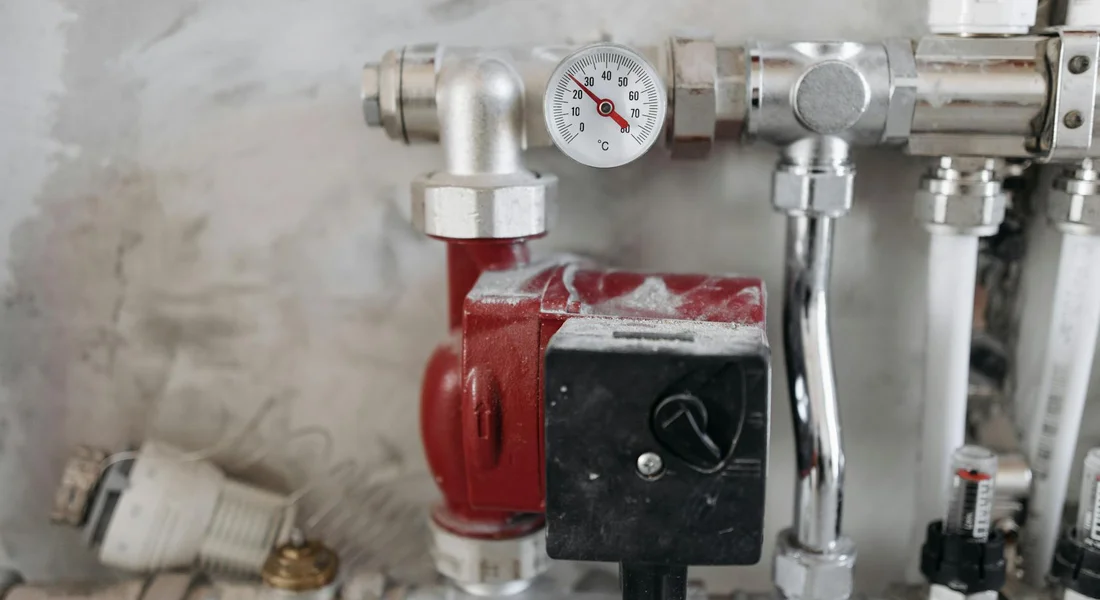
Give this project a clear Difficulty Rating: 6/10. That means it’s a moderate challenge for a seasoned DIYer with solid basic skills.
Your Realm: What You Can Handle
If you’re comfortable with basic tools and following instructions, these tasks are firmly in the homeowner’s wheelhouse.
- Mounting the backup unit and battery on the wall near the sump pit.
- Running new PVC discharge pipe and connecting it with fittings and glue.
- Connecting the backup pump’s power cord to the backup unit’s outlet.
- Plugging the backup unit into a standard, properly grounded wall outlet.
- Connecting the included float switch for the backup pump.
Think of it like adding a second, simpler pump with its own dedicated controller and battery. Many systems are designed for DIY installation, with plug-and-play wiring harnesses and clear manuals.
The Pro’s Realm: When to Call for Help
Knowing when to step back is just as important as knowing how to move forward. Hire a licensed professional for these scenarios.
- Any new electrical circuit work. If you need a new dedicated outlet installed near the sump pump, that’s a job for a licensed electrician.
- Major plumbing modifications beyond adding a tee and running a new pipe. If your main discharge line is cast iron or needs major rerouting, call a plumber.
- If your local building code requires a licensed electrician or plumber for this type of work. Always check your local codes first.
- If the instructions require hardwiring the backup unit into your home’s electrical panel. This is not a DIY task.
In my own basement, I handled the PVC and mounting, but I had an electrician run a new GFCI outlet because the nearest one was too far away. It was the right call for safety and code compliance.
Non-Negotiable Safety Precautions
This work involves water and electricity in close proximity. Do not skip these steps.
- Turn off ALL power. Unplug the primary sump pump from the wall outlet. Flip the breaker for that circuit to the OFF position. Use a non-contact voltage tester to confirm the power is off.
- Turn off the water. If your backup system includes a water-powered unit, you must shut off the supply line to it before making any connections.
- Wear eye protection. Cutting PVC pipe and working under a basement floor joist means debris will fall toward your face.
- Test the system thoroughly with a bucket of water before relying on it. Make sure the backup pump activates independently and discharges water correctly.
The single biggest mistake I see is a homeowner not verifying the power is off before unplugging and re-routing wires. That mistake can stop your heart. Test it, then test it again.
Gather Your Gear: The Tools and Materials Checklist
Getting this right starts with having the right stuff on hand. Nothing kills momentum like a trip to the hardware store in the middle of a project. Here’s exactly what you need, and why you need it.
Tools & Material Checklist
Lay these out on your workbench before you start. Having them ready makes the job smooth.
- Hacksaw or PVC Cutter: For cutting your PVC discharge pipe cleanly. A PVC cutter gives a cleaner, square cut with less effort.
- PVC Primer & Cement: This is the glue. You must use primer (the purple stuff) to clean and prepare the pipe before the cement. Don’t skip it.
- Torpedo Level: You need to ensure your backup pump sits level in the pit for optimal operation.
- Drill & Bits: For securing the backup unit to your platform and possibly running wiring.
- Screwdriver Set: Both flathead and Phillips for terminal connections and mounting hardware.
- Wire Strippers: For making clean connections to the backup unit’s terminals.
- Adjustable Wrench: Handy for tightening hose clamps and any metal fittings.
- Safety Glasses: Non-negotiable. PVC primer can splash, and cutting PVC throws tiny shards.
Materials
These are the parts that will become part of your system. Buy a little extra PVC pipe and a couple of extra fittings. Mistakes happen.
- PVC Pipe & Fittings (Schedule 40): This is the standard for drain and waste. You’ll need pipe, elbows, and possibly a coupling to tie the backup pump’s discharge into your main line.
- Hose Clamps: These secure the discharge hose from the backup pump to the rigid PVC pipe. Use stainless steel clamps to avoid rust.
- Check Valve: Your main pump should already have one. The backup pump will need its own dedicated check valve to prevent water from flowing back into the pit after it shuts off.
- Separate Discharge Line Kit (Optional but Recommended): Some systems run a completely independent discharge pipe outside. This prevents both pumps from fighting back-pressure in a shared, frozen, or clogged line. It’s the most reliable setup.
- The Backup System Unit & Battery: The heart of the operation. Get a quality deep-cycle marine or AGM battery as specified by the unit’s manufacturer. A cheap car battery won’t last.
Where to Place the Battery and Backup Unit
Location is critical for safety, access, and longevity of your equipment.
Keep everything high, dry, and accessible. The best practice is to place the backup control unit and battery on a sturdy, elevated platform. I use a simple cinder block and pressure-treated plywood shelf in my own basement. This gets them off the concrete floor, which can seep moisture and cause corrosion.
Position this platform away from the main sump pit’s splash zone. During a heavy rain event, your primary pump will be cycling often and can spray small amounts of water. You don’t want that mist landing on your battery terminals or control box.
Ensure you have at least a few inches of clearance around the control unit for ventilation. You’ll also want to be able to easily read the status lights and access the battery terminals for testing or maintenance. If you have to move a stack of boxes to check the alarm light, you placed it wrong.
The Step-by-Step Battery Backup Installation
Here is the process I follow in my own basement and on service calls. It is straightforward if you take your time.
Step 1: Power Down and Prep the Pit.
Start by shutting off your main sump pump. Unplug it from the wall outlet. You are working with water and electricity, so this is non-negotiable. Meanwhile, this is a good time to review proper sump pump maintenance. It also covers how to safely disconnect the unit for inspection and service.
Next, look inside the sump pit. Remove any leaves, silt, or small stones. This debris can jam the float switch or get sucked into the pump. A clean pit is a reliable pit. For best results, aim for a clean sump pit as part of regular maintenance. A clean sump pump pit helps prevent clogs and keeps the system running smoothly.
Do not skip cleaning the pit; a clogged backup pump during a storm is worse than no backup at all.
Step 2: Mount the Backup Pump or Control Unit.
Your backup pump and its control box need a safe home. Never place them on the basement floor. Water rises fast.
Use a sturdy piece of pressure-treated wood, a bricks, or a dedicated mounting bracket to create a platform. Secure it to the wall or floor next to the sump pit, well above the high-water mark you have seen during past floods.
Mounting everything securely and high keeps critical components dry and accessible for testing or service.
Step 3: Plumb the Discharge Line.
This step decides if your system works or fails. You must get the water out.
Can a backup sump pump go to the same pipe? Technically, yes, but I do not recommend it. If that single shared pipe freezes, gets blocked, or fails, both your main and backup pumps are useless. A dedicated discharge line is the professional choice.
If you must tee into the existing line, do it correctly. Install a tee fitting above the main pump’s check valve. Then, install a second check valve on the horizontal run going to your backup pump. This prevents water from the backup line flowing back into the main pump or the pit.
Two check valves are mandatory when teeing lines; without them, pumps fight each other and push water back into the pit.
Step 4: Make the Electrical Connections.
Follow the manufacturer’s wiring diagram. Typically, you connect the backup pump’s power cord to the control unit, and run heavy-gauge cables from the control unit to the battery terminals.
Can a backup sump pump go to the same outlet? No. Plug the backup system’s control unit into its own dedicated, GFCI-protected outlet. Sharing an outlet with the primary pump can overload the circuit right when you need power most, potentially tripping a GFCI outlet.
The control unit will stay on house power to keep the battery charged. When power fails, it automatically switches to battery.
I once saw a furnace, dehumidifier, and two pumps on one circuit; it tripped during a storm and flooded the basement. Dedicate an outlet.
Step 5: Finalize and Neaten.
Use zip ties or conduit to secure wires neatly to the wall. Fasten discharge piping with hangers. A messy job is a future problem.
Finally, place the backup pump in the pit. Ensure its float switch can move up and down freely without hitting the pit wall or the primary pump. Give it a test lift with your hand to hear the pump kick on.
A tangled float switch is the most common reason for backup failure. Verify its full range of motion before closing the lid.
What are the steps to install a battery backup for a sump pump? The five steps are: power down and clean the pit, mount the equipment safely, plumb a proper discharge line, make correct electrical connections, and secure everything for reliable operation. For a deeper look at secondary backup options, our backup sump pump secondary systems guide covers configurations and maintenance.
How do you connect the battery backup to the existing sump pump? You connect them hydraulically through the discharge piping, often with a tee and check valve, but they remain electrically independent on separate circuits. In the step-by-step sump pump installation guide, we’ll walk through wiring the backup to the existing discharge and testing the setup. This keeps your system ready for power outages.
Testing and Maintenance: Don’t Just Set It and Forget It
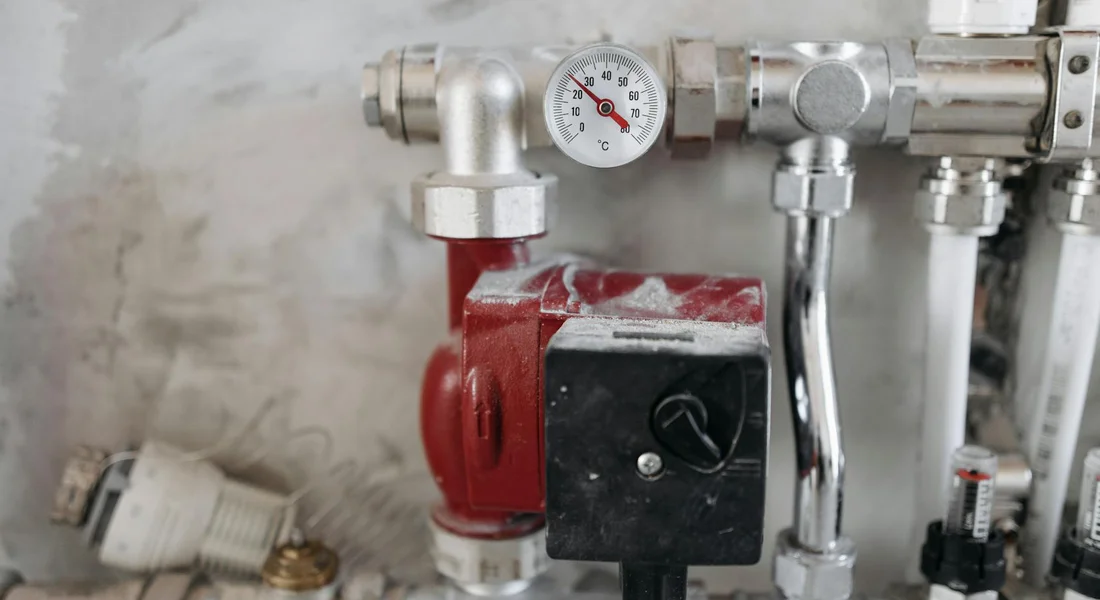
Installation is only half the job. A backup system you never check is a gamble. Treat it like your car. You wouldn’t drive for years without an oil change or a test of the brakes. Your backup system is your basement’s emergency brake.
How do you test the battery backup system?
You test it by simulating a real power outage and pump failure. This takes five minutes. I do this the same day every month, right after I check my smoke detector batteries.
Here is the simple test.
- Locate the plug for your primary sump pump and unplug it from the wall outlet. This mimics a power failure.
- Slowly pour a bucket of water (about 5 gallons) into the sump pit. Watch the water level rise.
- The backup pump’s float switch should activate the pump once the water reaches its trigger point. You will hear the pump motor kick on.
- The backup pump should move the water out of the pit through its dedicated discharge line. Watch the water level drop.
- Once the water is pumped down, the backup pump should shut off automatically.
If the backup pump runs but doesn’t move water, you have a clogged line or a failing pump. If it doesn’t turn on at all, check the battery connections, the float switch for obstructions, and the control panel for error lights.
Maintenance Schedule
This schedule is based on what fails in the field. Sticking to it prevents most emergency service calls.
Monthly: Visual check and test run.
Walk to your sump pit. Look inside. Remove any visible debris like small stones or silt. Verify the float switches for both the main and backup pump move up and down freely without hitting the pit walls or pipes. Then, perform the full system test described above.
Every 6 Months: Clean the pit and check float switch movement.
Put on some gloves. Use a wet/dry vacuum to suck out any accumulated sludge, gravel, or debris from the bottom of the pit. This prevents clogs and ensures the pumps sit level. Manually lift the float switch arms through their full range of motion. They should snap back down smoothly. Grit and debris are the most common cause of float switch failure.
Annually: Load test the battery, check terminals for corrosion, inspect discharge lines.
This is your yearly physical.
- Battery Load Test: Many backup units have a built-in “battery test” button on the control panel. Press it. It will put a simulated load on the battery and display a status (often via LED lights). A “weak” or “replace” light means the battery is nearing the end of its useful life.
- Terminal Check: Unplug the backup system from AC power. Check where the battery cables connect to the battery terminals. Look for white, blue, or green crusty buildup (corrosion). If you see any, disconnect the cables and clean the terminals with a wire brush and a solution of baking soda and water. Dry thoroughly before reconnecting.
- Discharge Line Inspection: Trace the backup pump’s discharge pipe outside. Make sure the exit point is clear of leaves, dirt, or insect nests. Ensure the check valve is operating (water should only flow out, not back in).
Every 3-5 Years: Plan for battery replacement.
The sealed lead-acid battery in your backup is like the battery in your car. It has a finite lifespan, typically 3 to 5 years with proper maintenance. Do not wait for it to fail during a storm. Proactively replace it on this schedule. Mark your calendar or set a reminder in your phone for 3 years after installation. When you replace it, buy a compatible battery designed for sump pump backup use.
What maintenance is required for a sump pump battery backup?
The required maintenance is the schedule listed above. The core tasks are keeping the pit clean, ensuring mechanical parts move freely, and monitoring the health of the battery. The most critical element is the battery itself. Everything else can be fixed, but a dead battery during a blackout gives you zero protection. Your vigilance is the most important component.
How long does a typical battery backup last during a power outage?
When new, a typical system with a single sealed lead-acid battery might run a 1/3 HP pump for 6 to 10 hours of continuous pumping. That is not 6 hours of clock time, but 6 hours of the pump motor actually running.
Runtime plummets as the battery ages. A 4-year-old battery might only provide half that, or less. The frequency of pump cycles matters most. During a torrential downpour, the pump might cycle every 2 minutes, draining the battery in a few hours. During a steady, lighter rain, the same battery could last much longer.
Your actual runtime is a moving target based on storm intensity, pit inflow, and, most of all, the age and condition of your battery. This is why the annual load test and proactive replacement are non-negotiable. You are not just maintaining equipment, you are preserving your known safe runtime window.
Red Flags and Troubleshooting Your Backup System
Installing the backup is one job. Keeping it ready for a storm is another. This part of your system needs a watchful eye. I check mine monthly, right when I test my main sump pump.
The “Red Flag” Troubleshooting Guide
When something sounds or smells wrong, your backup is talking to you. Listen to it. Here’s what those warnings usually mean and what to do.
Constant Alarm Beeping: Usually means battery failure or charger issue.
That beep is a cry for help. First, check the battery charger light on the control unit. Is it green? If it’s red or off, the charger isn’t working or the battery isn’t accepting a charge. Unplug the unit, then disconnect the battery cables. Clean the terminals with a wire brush, reconnect them tightly, and plug the unit back in. If the alarm continues, your battery is likely dead and needs replacement. I keep a spare battery on a maintenance charger in my workshop for this exact reason.
Backup Runs but Doesn’t Pump Water: Clogged intake or impeller, or a stuck check valve.
You hear the motor hum, but no water comes out. This is a flow problem. Turn off the power immediately to prevent motor damage. The first place to look is the intake screen on the backup pump, which can get clogged with silt and debris. Clean it out. If the screen is clear, the impeller inside the pump itself might be jammed. You’d need to pull the pump to check. Finally, ensure the check valve on the backup pump’s discharge line isn’t stuck shut. A gentle tap with a rubber mallet can sometimes free it.
Backup Doesn’t Turn On During Test: Dead battery, faulty float switch, or tripped breaker/GFCI.
The test button does nothing. Start with the simplest fix. Find the outlet your backup is plugged into. Is it a GFCI outlet? Press the “Reset” button. Check your home’s circuit breaker panel for a tripped breaker. If power is good, the problem is likely in the system itself. Use a multimeter to check the battery voltage. A reading below 10.5 volts for a 12V battery means it’s dead. If the battery is good, manually lift the backup pump’s float switch. If the pump still doesn’t start, the switch or control board has failed.
Battery Water Level is Low (on non-sealed types): Needs distilled water immediately.
This is basic but critical maintenance. Only use distilled water, never tap water. The minerals in tap water will ruin the battery plates. Carefully remove the caps and fill each cell until the water just touches the bottom of the fill well. Do not overfill. Wear safety glasses and gloves, as battery acid is corrosive. Check these levels every three months. If you’re constantly adding water, your charger may be overcharging and cooking the battery.
Battery Swells or Has Sulfur (rotten egg) Smell: Battery is failing and needs replacement now.
A swollen case or that sour smell means the battery is gassing excessively and is damaged. It’s a hazard. Do not try to charge it or continue using it. Disconnect it from the system, wear protective gear, and take it to a proper recycling center. This is a non-negotiable replacement. A failing battery can’t provide the power you need in an outage.
Can you install a battery backup on any type of sump pump?
Mostly, yes. But you must match the system to your pump.
The critical factor is voltage, not whether the pump is submersible or pedestal. Most residential sump pumps are 115-volt AC units. A standard battery backup system uses an inverter to convert 12V DC battery power to 115V AC, so it will work with both submersible and pedestal styles of this voltage. Beyond voltage, ensure your setup follows electrical circuit safety requirements, such as a dedicated circuit and GFCI protection. Proper wiring and weatherproof, dry connections help prevent hazards.
You must check your pump’s label. If you have a rare 230-volt pump, you will need a specialized 24V DC backup system, which is less common and more expensive. The physical installation is also different. For a pedestal pump, the backup unit is often a separate pump placed right next to it in the pit. For a submersible, you can use a separate backup pump or a combo unit that replaces your primary pump with one that has a built-in battery-powered second impeller. Always verify the manufacturer’s compatibility list before you buy.
Recommended Products and Final Thoughts
You have options. Think of it like choosing a tool for a job. The right pick depends on your current setup and how much peace of mind you want to buy.
Recommended Products: Focus on category types.
Integrated Battery Backup System
This is a clean, all-in-one unit that combines a backup pump, charger, and electronics in a single package. You install it right next to your primary pump. It’s good for a comprehensive solution because everything is designed to work together. The brains monitor your main pump and kick in the second one if the first fails or the power goes out.
In my own basement, I run an integrated system. The install is straightforward if your pit has the room. You’ll need a separate discharge pipe, which is the most labor-intensive part.
Standalone Battery-Powered Backup Pump
This is a separate pump you add to your existing sump pit, powered solely by a deep-cycle battery. It’s good for adding to an existing primary pump because it works completely independently. If your main AC pump quits or the lights go out, this one takes over. It’s a true backup, unlike dual sump pumps in one pit.
The key is placement. You must set its float switch higher than your main pump’s float. That way, the backup only runs when the primary can’t keep up. Test it monthly by lifting the float by hand.
Deep Cycle, Sealed AGM Battery
This is the preferred battery type, no question. You need a deep cycle because it’s designed to be drained and recharged repeatedly. An AGM (Absorbent Glass Mat) battery is sealed, so it doesn’t leak gas or require you to add water.
Do not use a standard car battery. It will fail quickly. A group 27 or 31 size AGM battery is typical. Keep it on a plastic tray, check the terminals for corrosion every few months, and plan to replace it every 3 to 5 years.
Sump Pump Alarm
This is a cheap add-on that alerts you to high water or pump failure before you have a problem. It’s pure insurance. The alarm sits high on the pit wall and screams if water touches it. For about thirty dollars, it tells you if a pump clogs, a float sticks, or water is coming in faster than the pumps can handle.
Wireless models can send an alert to your phone. I have one. It woke me up at 2 AM last spring during a torrential downpour because the primary pump’s discharge line had frozen outside. I caught it before the backup pump’s battery drained.
This is a weekend project that buys immense peace of mind. If any step feels beyond your skill, call a pro. A dry basement is worth it.
Common Questions
What safety precautions are absolutely essential during installation?
Always turn off the primary pump’s power at the breaker and unplug it before you begin. Work with dry hands and ensure the pump pit is dry to prevent electrical shock. Wear safety glasses when cutting PVC or working overhead to protect your eyes.
Where is the best place to put the battery and backup unit in the basement?
Mount them on a sturdy, elevated platform at least a few inches off the floor and away from the sump pit’s splash zone. This keeps components dry and accessible for testing. Ensure the area is well-ventilated and clear of stored items.
What maintenance is required for a sump pump battery backup?
Test the system monthly by simulating a power outage with a bucket of water. Clean the sump pit of debris every six months to prevent clogs. Annually, load-test the battery and check terminals for corrosion, planning to replace the battery every 3-5 years.
How long will the battery backup run my pump during an outage?
A new, quality deep-cycle battery typically provides 6-10 hours of continuous pumping for a 1/3 HP pump. Actual runtime depends on your pump’s cycle frequency and the battery’s age. Proactively replace the battery every few years to maintain reliable runtime.
Can I add a battery backup to my existing pedestal sump pump?
Yes, battery backups are compatible with both submersible and pedestal pumps. The key is ensuring the backup system’s voltage matches your pump’s requirements. You’ll typically install a separate backup pump in the pit alongside your primary unit.
Final Checks for a Reliable Battery Backup
After installation, always confirm all wire connections are secure and the battery maintains a full charge. Test the entire backup monthly by disconnecting the main power to verify the pump activates and moves water out as intended.
Bob McArthur
Bob is a an HVAC and plumbing industry veteran. He has professionally helped homeowners resolve issues around water softeners, heaters and all things related to water systems and plumbing around their homes. His trusted advice has helped countless of his clients save time, money and effort in home water systems maintenance and he now here to help you and give you first hand actionable advice. In his spare time, Bob also reviews home water systems such as tankless heaters, water softeners etc and helps home owners make the best choice for their dwelling. He lives around the Detroit area and occasionally consults on residential and commercial projects. Feel free to reach out to him via the contact us form.