How to Pull and Clean Your Sump Pump’s Impeller Screen
That little screen on your sump pump is clogged, and now your pump is humming but not moving water. You need to clear it out before your basement floods.
We will cover why the screen matters, the safe way to disconnect power and water, the exact steps for removal, how to clean it properly, and putting it all back together to run right.
I’ve pulled more of these screens than I can count. Here’s the straight talk: cleaning this screen twice a year is the cheapest flood prevention you’ll ever do.
What Exactly Is an Impeller Screen and Why Bother With It?
Your sump pump’s impeller screen is its built in strainer. It’s a small, often round, grate covering the water intake hole at the bottom of the pump. Think of it like the screen in your kitchen sink drain, but for the device keeping your basement dry. It’s crucial to keep it clean as part of your regular sump pump maintenance.
Its job is simple but critical. It catches stones, gravel, sand, and other debris before they get sucked into the pump’s impeller. The impeller is the spinning fan blade that moves water. A clean impeller screen is what keeps water flowing freely into your pump so it can do its job.
The core reason for removing and cleaning it is to prevent clogs. A clogged screen starves the pump. Water can’t get in fast enough, so the pump runs dry, overheats, and burns out. Worse, it might run but move only a trickle, letting water rise in your sump basin. This kills pump performance and is a direct path to basement flooding. Keeping a clean sump pump pit ensures water has an unobstructed path to the pump. It helps prevent clogs and keeps the system running smoothly.
Skipping this quick check is one of the most common reasons for sump pump failure I see on service calls. The pump itself is often fine, it just couldn’t get any water. In my own basement, I found my screen packed with what looked like kitty litter (the previous owner’s drain rock) after a heavy spring melt. Cleaning it took two minutes and saved the pump.
Before You Start: Is This a DIY Job or a Pro Call?
For most homeowners, this is a straightforward maintenance task. Let’s break down the difficulty.
Difficulty Rating
For a handy homeowner with a standard, accessible sump pump: 4 out of 10. It’s mostly about unplugging, lifting, and brushing. There are a few common sump pump work types—submersible and pedestal pumps—each with its own quirks. Recognizing your pump type helps tailor your maintenance approach.
If your pump is an old, sealed “one piece” unit or is corroded shut: 8 out of 10. Forcing it can break the plastic housing, turning a simple clean into a full pump replacement.
The DIY vs. Pro Verdict
You can handle this yourself if:
- The pump lifts easily from the basin.
- The screen is held by visible screws or a removable cover.
- You’re just cleaning out debris with a brush and hose.
- The pump and electrical cord are in good shape with no cracks or fraying.
Call a plumber or water systems pro when:
- The pump housing is severely corroded or the screen cover won’t budge.
- The plastic housing is cracked or broken around the intake.
- You see significant rust on the impeller itself.
- There are any electrical issues like a tripping GFCI outlet, damaged cord, or you’re uncomfortable with the wiring.
Code & Compliance Check
Cleaning a screen is basic maintenance and doesn’t touch code. Remember, any permanent wiring or outlet work for your sump pump must follow local electrical code. These are part of sump pump electrical circuit safety requirements. They help ensure proper circuit sizing, protection, and safe outlet placement. If your DIY inspection leads you to want to replace the outlet or cord, that’s when you need to ensure it’s done right, often by a pro. The pump should always be plugged into a GFCI outlet for safety.
Gathering Your Gear: The Simple Tool Kit You Need
You don’t need a professional’s full toolbox for this job. A few basic items from your garage or a quick trip to the hardware store will cover it. Focus on getting these brand-agnostic essentials first, as they handle 95% of impeller screen removals.
- Adjustable Wrench: This is your main tool for loosening the discharge pipe union nut. A 10-inch model gives you good leverage without being too bulky for tight spaces.
- Screwdrivers: Have both a flat-head and a Phillips-head ready. You’ll need them to remove the pump’s cover or guard and possibly detach the screen housing.
- Bucket and Rag/Sponge: There will be residual water. A small bucket catches drips from the pipes, and a rag mops up the mess in the sump basin.
- Work Gloves: Thick rubber or nitrile gloves protect your hands from sharp edges inside the basin, nasty sludge, and pinching during reassembly.
- Flashlight or Work Light: Sump pits are dark. Good lighting is non-negotiable for seeing small fasteners and ensuring you don’t drop parts into the water.
Some pump models have unique designs. Older or specific brand pumps sometimes use a special spanner or large socket to remove the screen housing itself. If your screen looks like it’s threaded into the pump volute and a wrench won’t grip it, check your owner’s manual. I learned this on an old pump in my own basement; the housing needed a specific tool I had to order online after a frustrating hour of trying to improvise.
Safety Steps You Can’t Afford to Skip
Working with electrical equipment and water requires a disciplined routine. Rushing leads to shocks, floods, or injury.
Your very first action must be to unplug the pump from the wall outlet. Do not just flip a switch. Go directly to the plug, pull it, and keep it where you can see it. If it’s hardwired, you must flip the correct circuit breaker at your main panel and verify the power is off with a non-contact voltage tester.
Before you reach into the pit, check for standing water. If the water level is high, the pump might be faulty. Bail it out with your bucket first. Always ensure your footing is stable on a dry floor to prevent a dangerous slip near live electrical components.
Wear your gloves and safety eyewear. The screen and pump interior can have metal burrs or be caked with abrasive grit. Protect your hands and eyes.
Finally, know your limits. A standard 1/3 HP submersible pump can weigh 15-20 pounds when wet and awkward. Have a helper on standby or a clear plan for lifting it if you need to pull the entire unit out of the basin. Trying to manhandle it alone can strain your back or cause you to drop and damage the pump.
Finding and Accessing the Screen on Your Pump Model
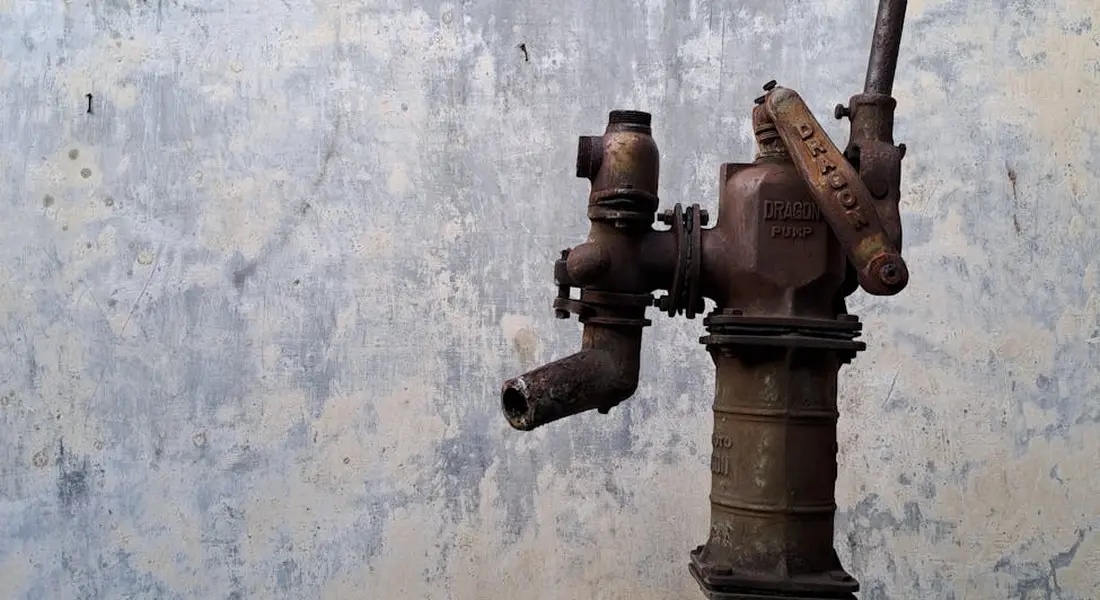
First, you need to know what you’re working with. There are two main pump types: pedestal and submersible.
Look at your pump in the sump pit. A pedestal pump has a long column with the motor sitting high and dry above the pit. A submersible pump is a sealed unit that sits entirely underwater when running. Knowing your type tells you where the screen lives and how much disassembly you’re in for. Understanding the basics, functions, and classifications of sump pumps will guide your next steps. This framing helps you compare options and plan maintenance with confidence.
Disassembling a Pedestal Pump
On a pedestal pump, the impeller screen is almost always underneath a cover plate on the bottom of the pump housing. You’ll need to get the pump out of the pit. Unplug it first. Always.
- Lift the pump out and place it on an old towel.
- Flip it over. You’ll see a round or square plate held by small screws, often Phillips head.
- Remove these screws. The plate should come off, revealing the impeller and the screen.
The screen is a small, perforated metal or plastic guard that fits over the impeller intake. It might be held by a single screw or just pop into grooves. On my basement’s old pedestal pump, the screen was plastic and snapped right out after pulling two clips.
Disassembling a Submersible Pump
This is more involved. The screen on a submersible pump is internal, located right before the impeller inside the main housing. To reach it, you must separate the pump’s volute (the wet end) from the motor.
- Unplug the pump and remove it from the pit.
- Look for long bolts or screws running from the motor end to the pump end. There are usually four of them.
- Unscrew these bolts. The two halves should separate. You may need to gently tap the seam with a rubber mallet if it’s stuck from minerals.
Inside, you’ll see the impeller. The screen, if your model has one, will be a guard over the impeller’s intake passages. Not all submersible pumps have a removable screen; some use a grated bottom plate instead.
Finding Screens on Specific Models
Manufacturers hide these screens in different spots. If you don’t see an obvious bottom plate or housing bolts, look closely.
Check the pump housing near the impeller intake for small screws, plastic clips, or a snap-on cover. Your owner’s manual is the best guide. If you lost it, search online for “[Your Pump Brand and Model] parts diagram.” For common brands like Zoeller, Wayne, or Liberty, the diagrams clearly show the screen location.
Disconnecting from the Discharge Pipe for Access
Sometimes you can’t lift the pump out because the discharge pipe is in the way. You need to disconnect it.
- Unplug the pump.
- Find the connection where the pump’s discharge outlet meets the PVC pipe. It’s usually a threaded union or a clamp.
- Use a pipe wrench to hold the discharge pipe steady. Unscrew the union nut connecting it to the pump.
Be ready for a little water to drip out. If your system has a check valve, water won’t drain back from the pipe. This simple disconnection gives you the room to lift the pump straight up and out for servicing.
The Red Flag Guide: Signs Your Pump or Screen Is Failing
Your pump talks to you. Listen to it. These symptoms often point directly to a clogged, damaged, or missing impeller screen, which is one of the warning signs of pump failure.
Unusual Grinding or Rattling Noises
A healthy pump hums. A grinding sound means debris has gotten past a damaged or missing screen and is now chewing up the impeller. A rattling noise can mean a piece of gravel is stuck in the screen itself, vibrating with the impeller. This won’t get better on its own.
Frequent, Short Cycling
The pump turns on and off every few minutes, even without heavy water inflow. A clogged screen strangles the water flow. The pump can’t move its full gallon-per-minute capacity, so it takes longer to lower the water level. It runs longer, gets hotter, and the float switch triggers more often. This constant cycling burns out the motor fast.
Noticeably Reduced Water Flow
Watch the water coming out of your discharge pipe outside during a cycle. If it’s a weak trickle instead of a solid stream, the pump is struggling. The most common culprit is a screen matted with silt, hair, or sand, blocking the intake.
Visible Damage or Debris on the Screen
This is the confirmation. When you get the screen out, inspect it. Are the plastic fins cracked or broken? Are the metal mesh holes torn? Is it packed solid with gunk? A damaged screen is worse than no screen at all, as broken pieces can fall into the impeller.
Motor Overheats and Trips the Thermal Overload
The motor casing feels very hot to the touch. It may run for a bit then shut off, only to come back on after it cools. This is a severe sign. A blocked screen makes the impeller work against a vacuum, overloading the motor. This is an urgent fix. Letting it continue will destroy the pump.
If you notice any of these signs, plan to check the screen immediately. Putting off this maintenance is how you end up with a failed pump and a flooded basement during the next big rain. Clear the screen, replace it if it’s damaged, and your pump will usually return to normal duty.
Step-by-Step: Removing, Cleaning, and Putting It Back
How to Disassemble the Pump and Remove the Screen
This is a straightforward job if you work slowly and safely. Think of the pump’s lower housing like a tough plastic lunchbox you need to open to get to the filter.
- Disconnect the power. This is non negotiable. Unplug the pump from the outlet. If it’s hardwired, turn off the circuit breaker that controls it. Use a voltage tester to be sure the power is off.
- Lift the pump out of the sump pit and place it on a flat, dry surface. Have a bucket or towels ready for dripping water.
- Locate the fasteners or clips holding the pump’s bottom cover on. Most models use several small screws. Some have simple plastic tabs you press to release. My own basement pump has four Phillips head screws.
- Remove the screws or release the clips. Set them in a safe spot where they won’t roll away.
- Gently pry off the bottom cover. Don’t force it. If it’s stuck, a bit of sediment might be gluing it shut. Tap around the edge with a rubber mallet to break the seal. Wiggle it off slowly.
- Extract the impeller screen. It’s the mesh or plastic grate now visible inside the housing. It might just lift out, or it could be held by a notch or a small central fastener.
You only need to disassemble a sump pump pump shaft if debris is wrapped around it behind the screen. If the impeller itself is jammed, you may see a hex-head bolt or a retaining clip on the end of the shaft. Removing this lets you pull the impeller off the shaft for a deep clean, as explained in how to clean a sump pump impeller. Don’t do this unless necessary.
Cleaning the Screen and Inspecting the Impeller
With the screen in hand, the real work begins. Take this chance to look at the pump’s heart.
Take the screen to a utility sink or outside. Rinse it thoroughly with a garden hose. Spray from the inside out to push debris through the mesh. For stubborn grit, like fine sand or clay, use a soft bristle brush (an old toothbrush works perfectly). Avoid wire brushes that can tear the mesh.
Hold the screen up to the light and check for any tears, holes, or cracked plastic frames. Even a small breach can let stones or debris into the impeller chamber and cause a jam.
Now, look inside the pump at the impeller. This is the fan like component that moves the water. Spin it with your finger. It should turn freely without scraping or catching. Look at each blade for cracks, chips, or signs of wear. A damaged impeller won’t move enough water and will burn out the motor.
Reinstalling the Screen and Reassembling the Pump
You’re on the home stretch. Reassembly is just the first steps in reverse, with a focus on sealing things up tight.
- Place the clean, dry screen back into its slot. Make sure it’s seated fully and evenly. If it has a specific orientation, match it up.
- Clean the mating surface on the pump housing and the inside of the cover. Wipe away any old grime to ensure a good seal.
- If your pump uses a rubber gasket or O ring, check its condition. A brittle or flattened seal will leak. Lightly lubricate it with plumber’s silicone grease to help it seat.
- Align the cover and press or snap it into place. If it uses screws, hand tighten them first in a criss cross pattern, then snug them down evenly. Don’t over tighten plastic screws.
- Lower the pump back into the sump pit, ensuring it sits upright on the basin floor.
For the final test, plug the pump back in or restore power at the breaker. Slowly pour about five gallons of water into the pit. The float should rise, the pump should kick on, and it should pump out all the water and shut off cleanly. Listen for smooth operation. If anything seems off, consult our guide on installing, testing, and troubleshooting sump pumps.
What if the screen is damaged? Replace it with an identical part from the pump manufacturer. A generic screen might not fit right. If your pump is over seven years old and parts are hard to find, replacing the entire pump is often the smarter, more reliable long term move.
Common Questions
What’s the most common mistake when removing the screen?
Forcing it. If the cover or screen housing won’t budge, don’t pry harder. Check for hidden screws or clips you may have missed, or gently tap the seam with a rubber mallet to break mineral sealant. Forcing plastic can crack the housing, turning a simple clean into a costly replacement.
Can I use any lubricant on the gasket when reassembling?
No. Only use a plumber’s silicone-based grease, applied sparingly. Petroleum-based lubricants or household oils can degrade rubber O-rings and gaskets over time, causing leaks. A light coat of the right grease ensures a good seal and makes future removal easier.
My pump model doesn’t have an obvious screen. What now?
First, check if the entire bottom plate *is* the screen-some models use a grated bottom. If not, your pump might have an internal strainer. Consult your owner’s manual or search online for a parts diagram using your pump’s brand and model number. When in doubt, a photo sent to the manufacturer’s support can get you a quick answer.
How often should I really clean this screen?
At minimum, clean it every six months. If your basin collects a lot of sediment or you have a submersible pump in sandy soil, check it quarterly. The best practice is to clean it the first time you hear the pump run in spring and again in early fall.
Where do I find a replacement screen if mine is damaged?
Always source an identical OEM (Original Equipment Manufacturer) part. Use your pump’s model number to order from the manufacturer, an authorized distributor, or a reputable plumbing supply site. If the pump is over seven years old and the part is discontinued, replacing the entire pump is often more reliable and cost-effective.
Final Steps for Impeller Screen Care
Always disconnect power at the breaker and confirm the pump is dry before handling the impeller screen. After removal, clean all debris from the screen and inspect the impeller for damage to prevent future clogs or failures.